
How to Network
Detailed instructions on how to find and professionally connect with someone using LinkedIn

In my last post, I talked about the basics of networking: what is it, why do it, when to do it and with whom.
In this post, I want to provide specific instructions on how to network, with an emphasis on using LinkedIn.
Once you’ve identified who you want to network with, the next step is the actual connection. There are 4 parts to this
Finding your targets
Contacting your target and getting them to agree to a meeting
Connecting in a meeting
Following up after your meeting
This post will focus on the first 2 parts: finding and connecting with your target. A future post will focus on what you do in the meeting and afterwards.
Finding a Target
My last post talked about what type of person you should connect with. The next step is to find your target person. This is where sites like LinkedIn or your university’s alumni directory can be very helpful, as can the websites of the companies you are interested in.
Note that the following section talks about features on LinkedIn that are valid as of this writing in November 2025. Some of the search functions I capture below may require you to have a Premium LinkedIn account.
To use LinkedIn to find a contact, you can start with the search function. Let’s say you are interested in working at Bain & Company. You can go to LinkedIn.com and type in “Bain & Company” in the search box until the company name shows up.
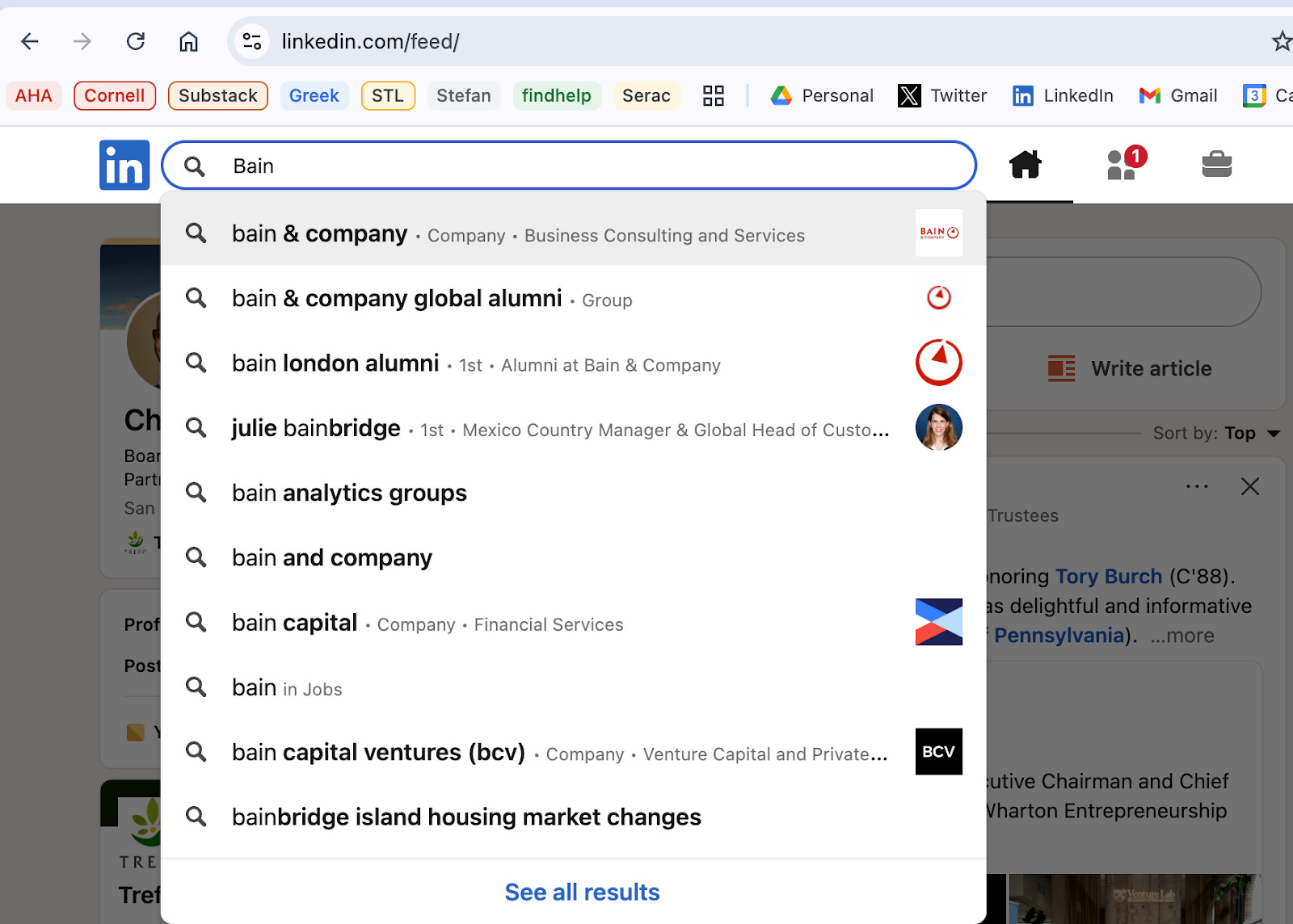
Once you click on the name, you get a search results page with Bain & Company at the top.
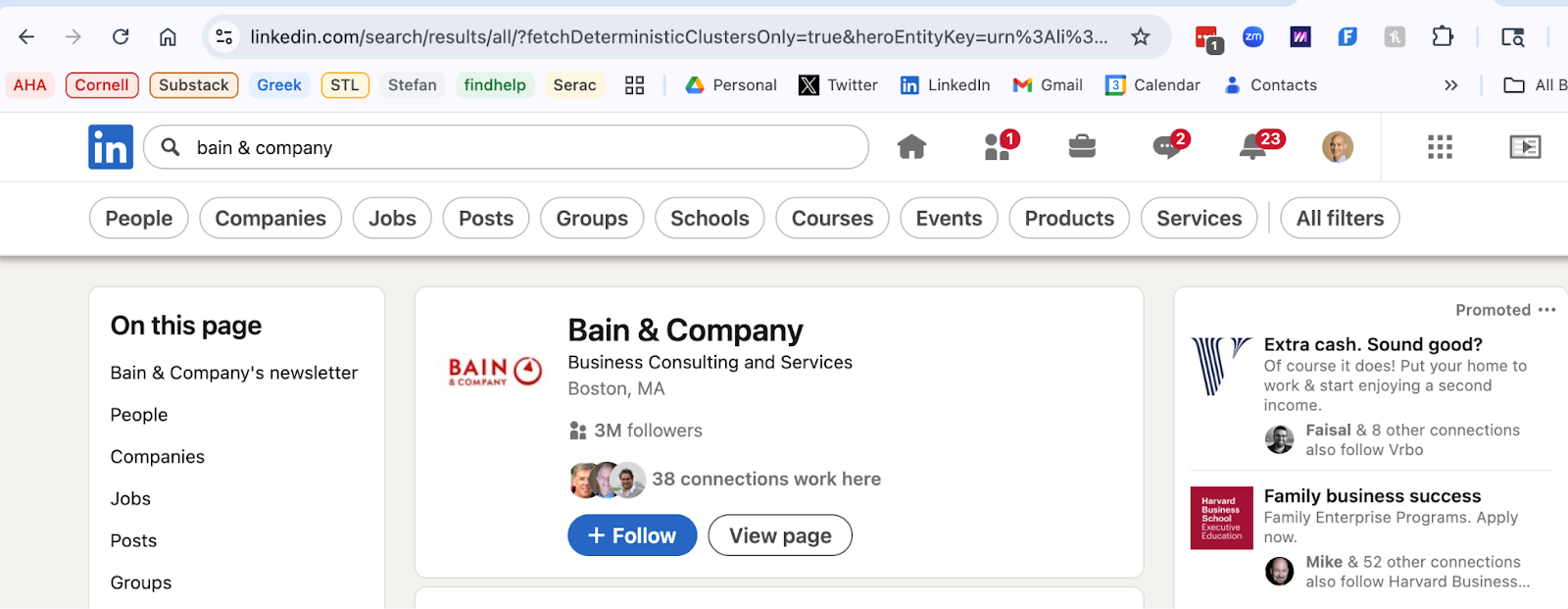
From here, you can click on “People” in the upper left to limit your search to people who have the text “Bain & Company” in their LinkedIn profiles
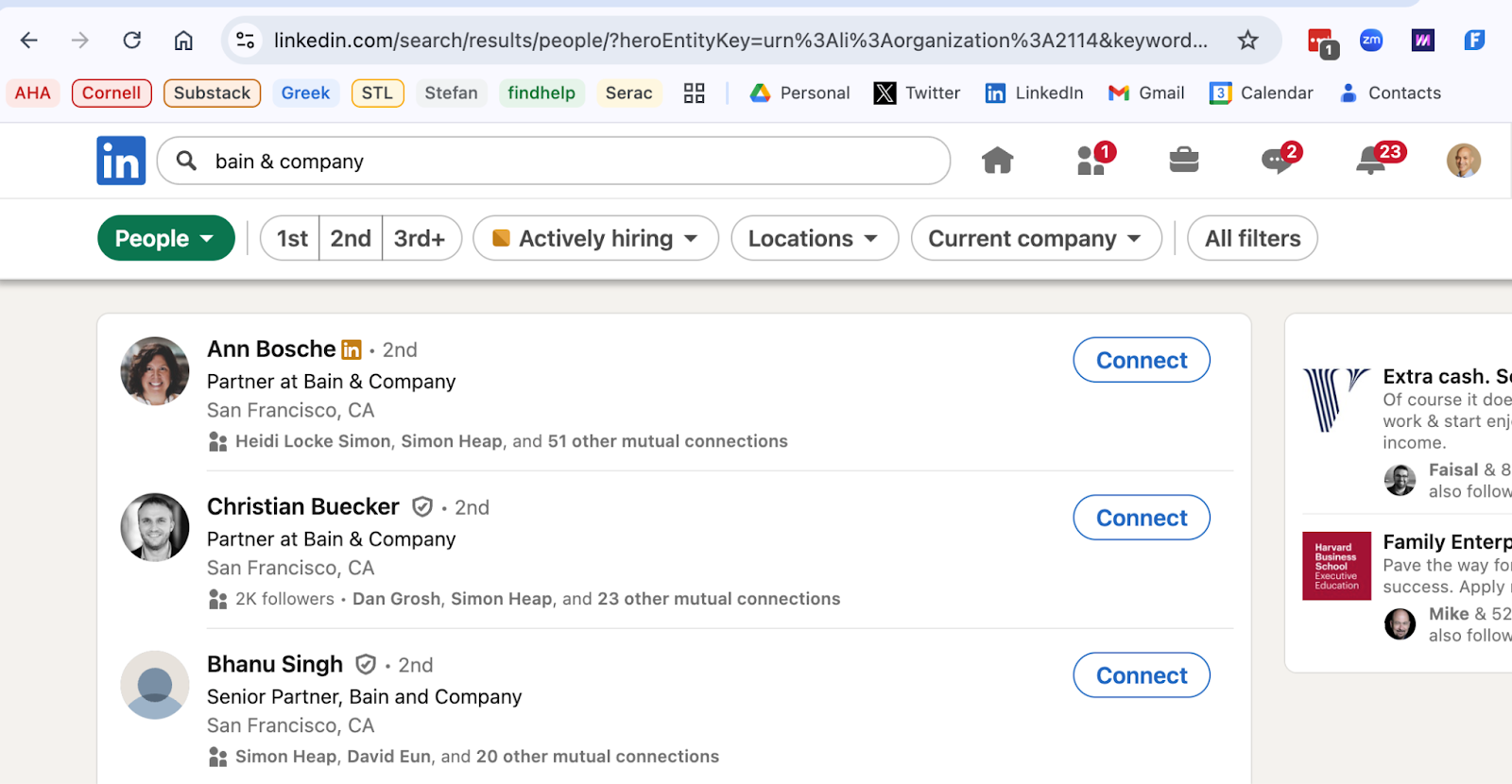
Another, better way, to do this type of people search is to start at the People Search Page - https://www.linkedin.com/search/results/people/ - (I have this bookmarked on my browser) and then do a search using the filters at the top of the page.
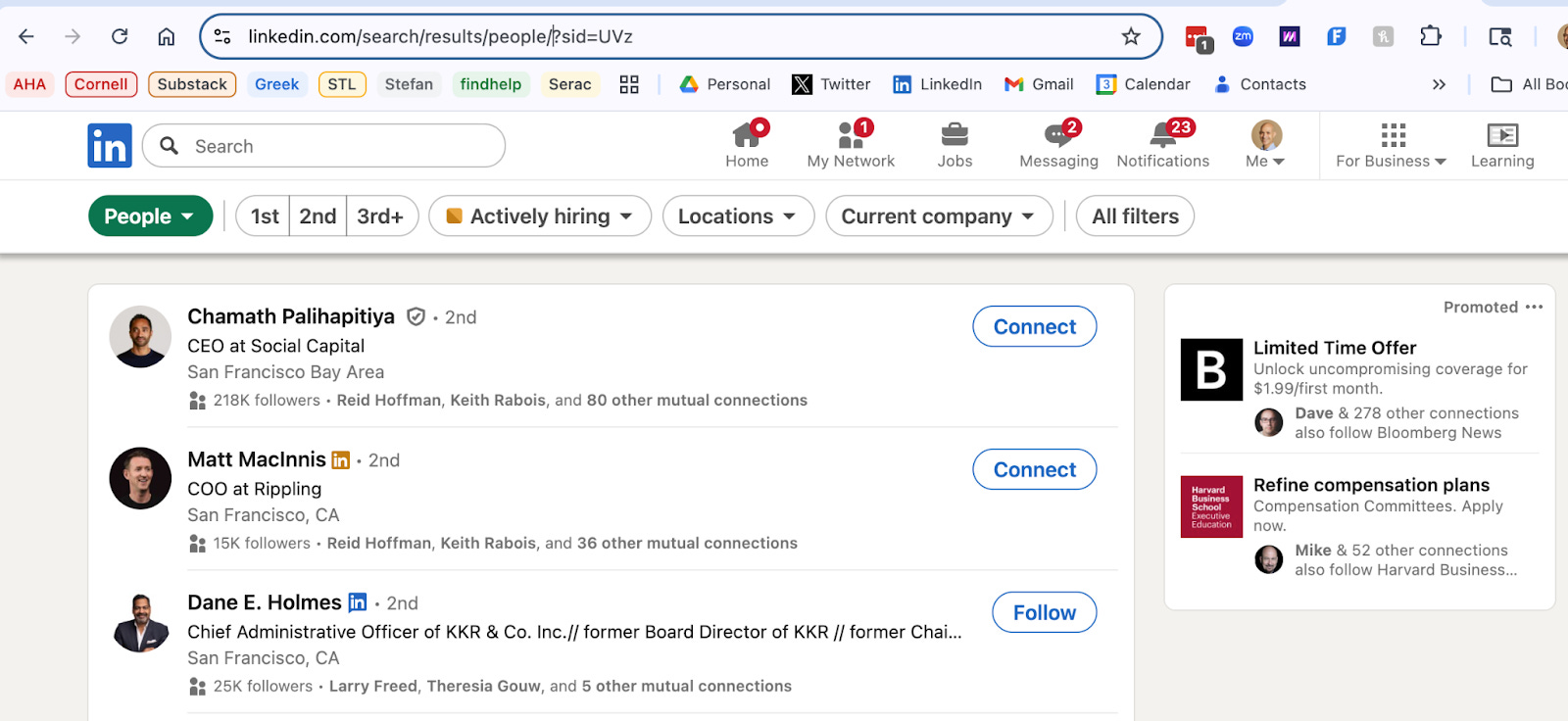
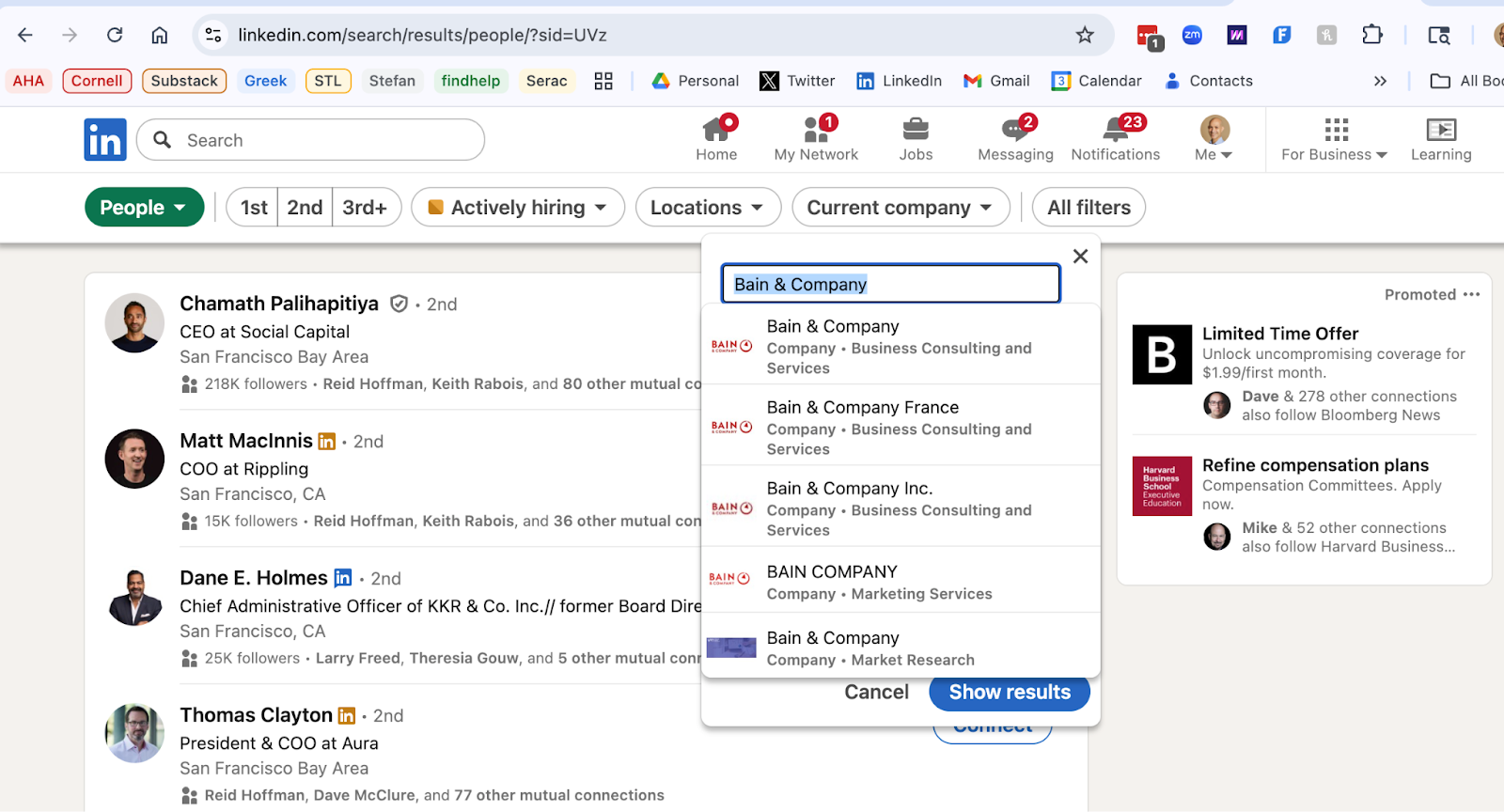
The first filter to use is “Current company.” Again, you can type in “Bain & Company” here and then select the companies that show up that fit that name. In this case, there is both a “Bain & Company” and a “Bain & Company, Inc.” that show up so I chose both of them.
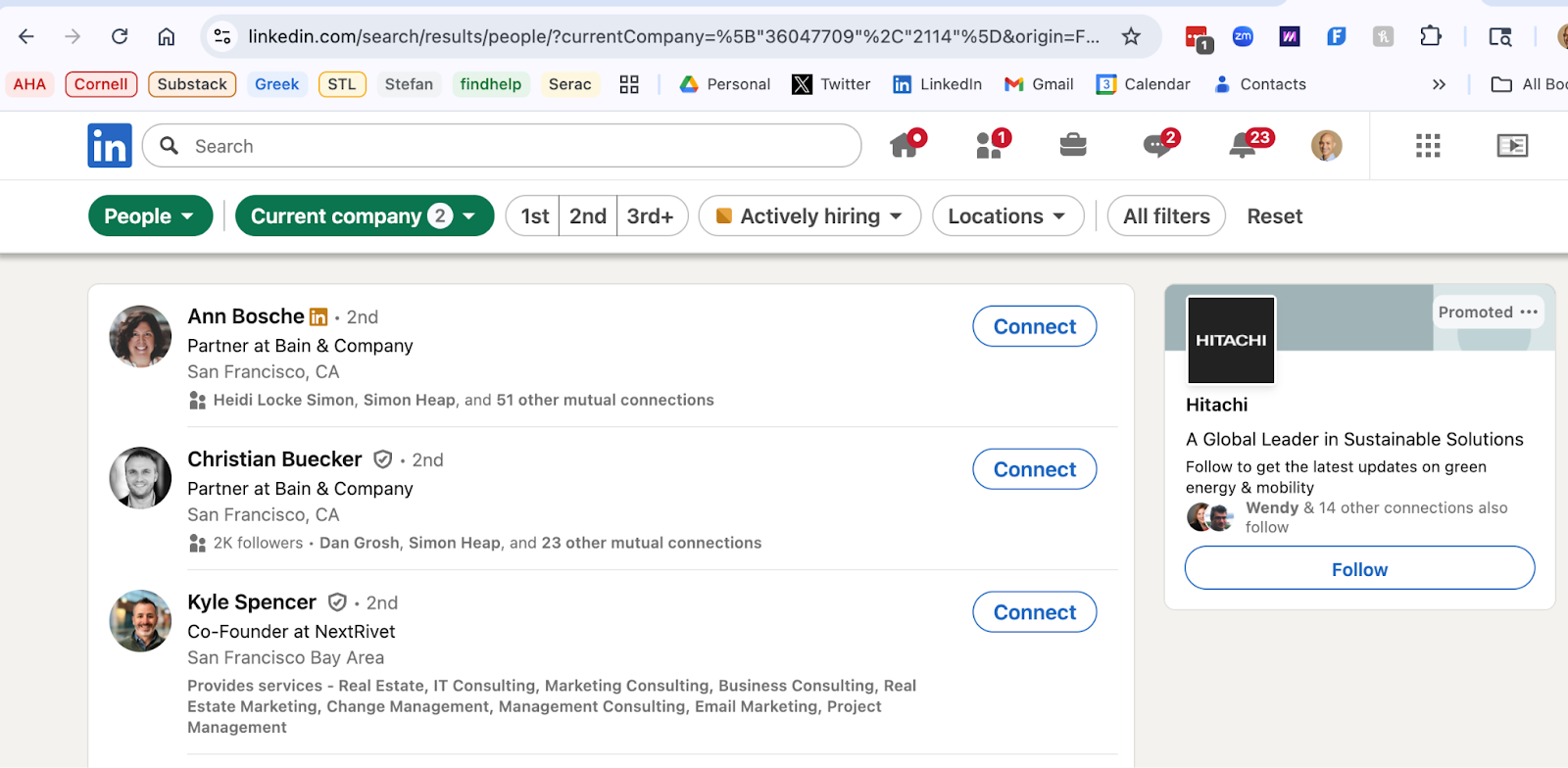
This then brings you to a People search results page that looks like the first one I generated, but the difference here is that the results just show people who currently work at Bain & Company and not people who have “Bain & Company” in the text of their LinkedIn description. The ideal target is a current employee of your target company so this search is better for that.
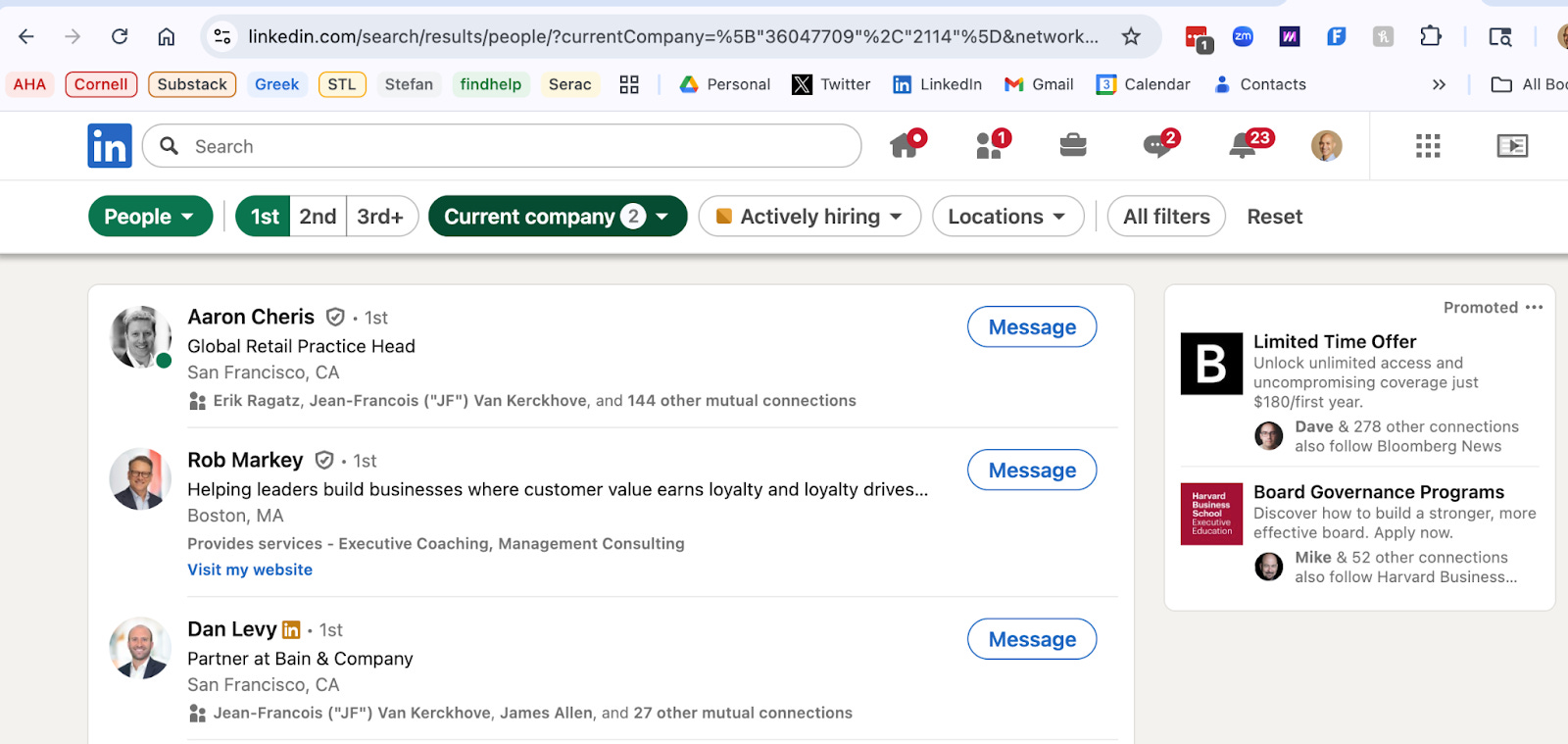
Now that you have a list of people who work at your target company, the next step is to narrow the list to people who are decision makers and / or are connected to you in some way. The first connection to check is whether there is someone at this company you are already connected to. To do that, click on the “1st” filter at the top of the page. 1st degree connections are people you are directly connected to on LinkedIn.
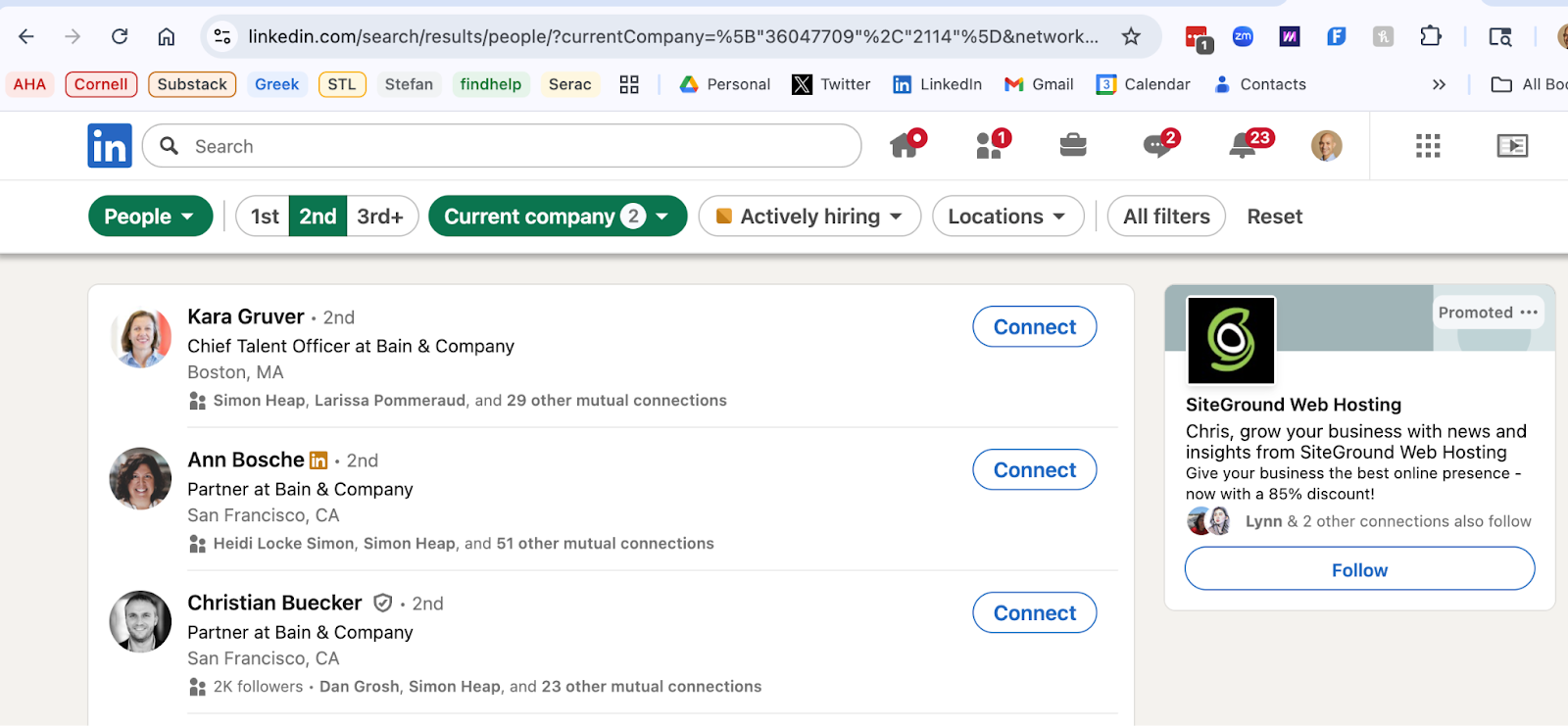
If you don’t have 1st degree connections at your target company, you can click on “2nd” in the top filters to find 2nd degree connections. These are people who are at your target company, are not directly connected to you on LinkedIn, but are directly connected to one or more of your 1st degree connections.
If you don’t have any 1st or 2nd degree connections, you can click on “3rd+” to see people at your target company. If the list of your 2nd degree connections is very long or you only have 3rd+ connections, you might want to further refine this target list by using filters or keywords. Say you were looking for partners in the Boston office of your target firm, you could type in “Boston partner” in the search box at the top of the page and you will get a shorter list of potential contacts.
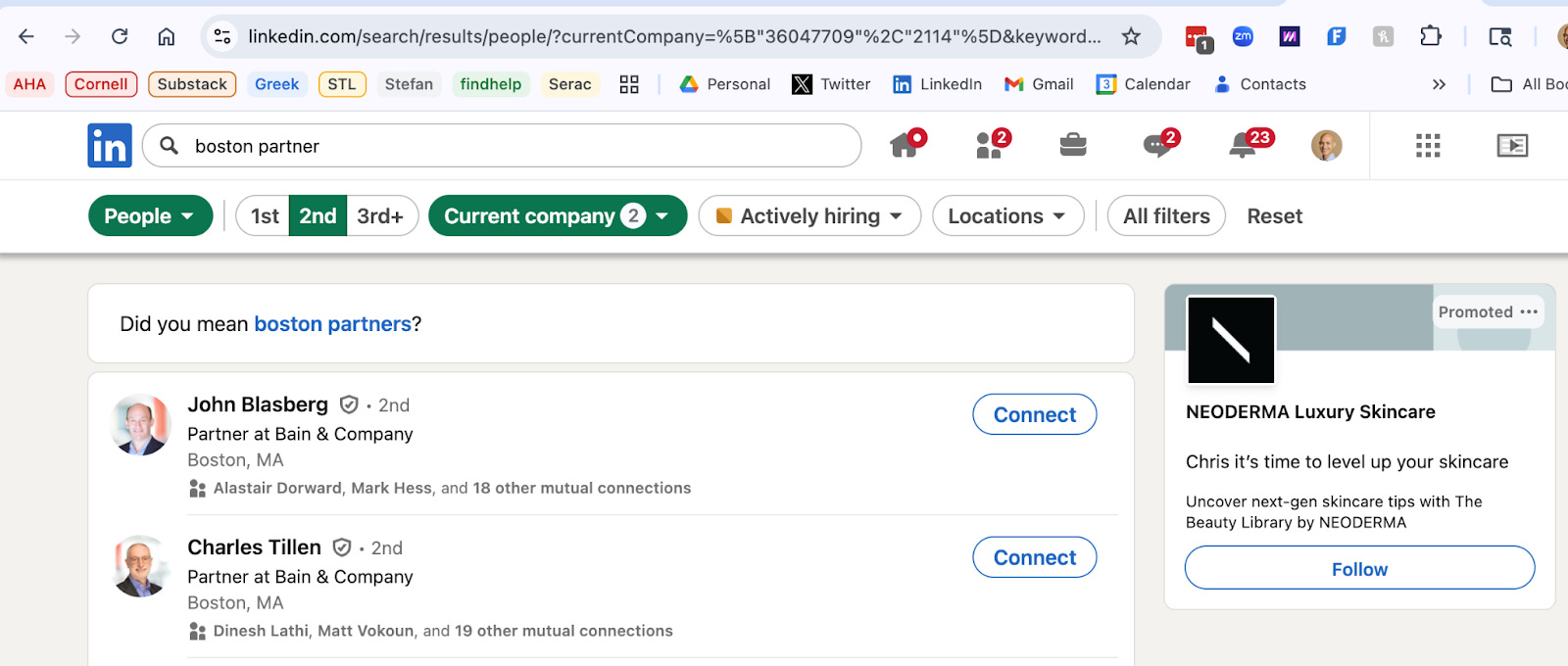
You can also refine a list of people by using the other filters that LinkedIn provides. The way to see them is to click on “All filters” in the top right.
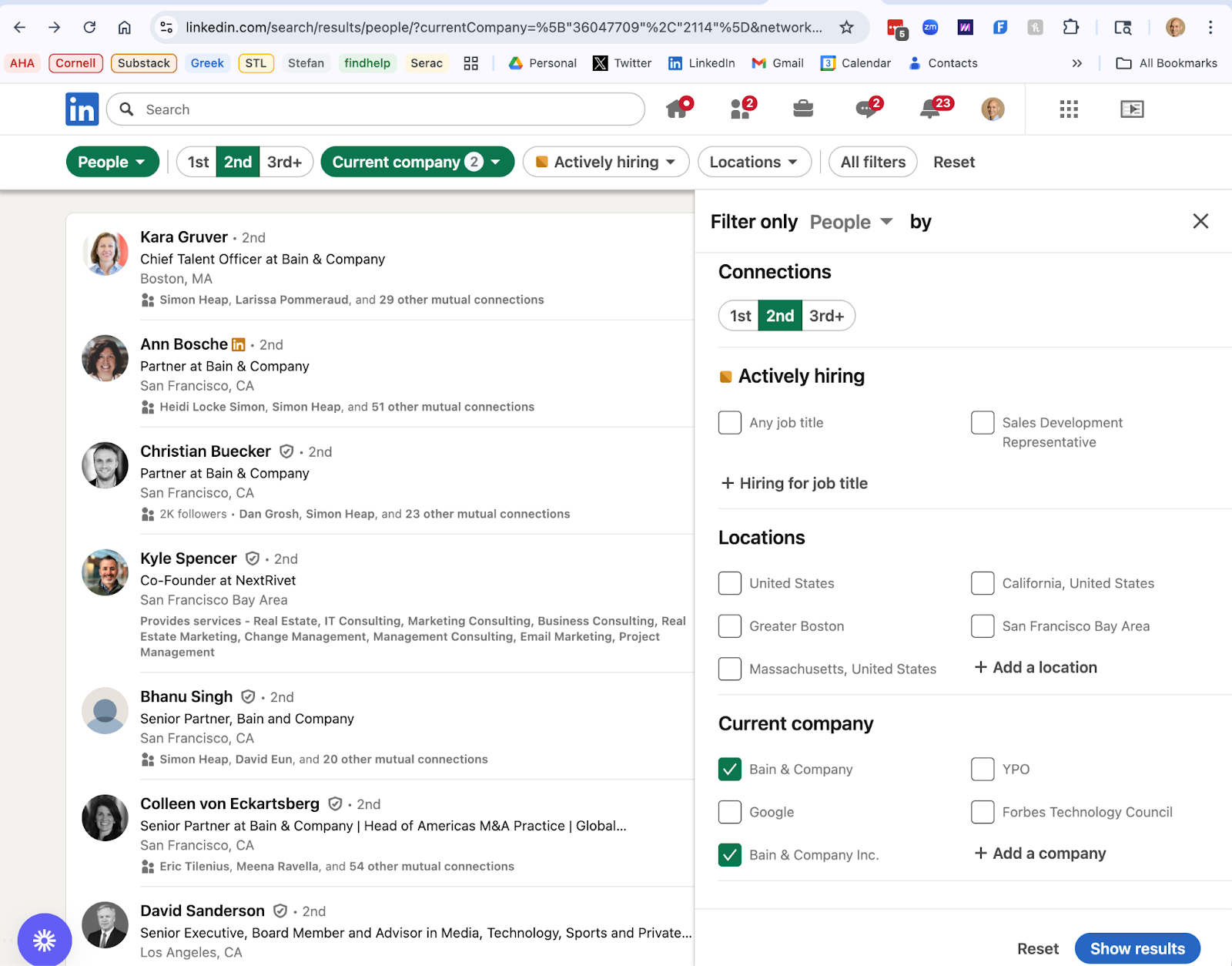
Once you click on “All Filters,” you will see that the filters include the following:
Locations
Current company
Connections of
Followers of
Past company
School
Industry
Profile language
Open to
Service categories
While there are sites that explain each of these search parameters, the parameters I have found most useful are Locations, Current Company (as already discussed), Past Company and School.
If you use the Current Company filter and your search for current employees at a particular company gives you no results, you can use “Past Company” to enter the name of your target company. Just note if you have the same company in both the Current Company and Past Company field, you will likely get 0 results as LinkedIn would be trying to find you someone who was both a previous employee and now a current employee at that target company. So I recommend using the “Past Company” filter by itself and without using the “Current Company” filter.
The Locations filter works well if you are trying to find someone working in a particular area (e.g. Boston). This is a helpful filter if you are interested in a company with multiple locations.
The School filter is particularly helpful if you are trying to find someone who attended your college or even high school. As I mentioned in my previous post, this is one potential form of connection that you can explore in finding a target.
Contacting your Target
Once you know who you want to network with, your best chance of talking to that person is to get a warm introduction. This means getting someone who you know and who knows your target to connect you to your target.
This is often a 3 step process:
Step 1 is asking your connection if they can introduce you to your target.
Step 2 is your connection contacting the target to ask if they can connect you to the target.
Step 3 is your connection actually making an introduction to your target.
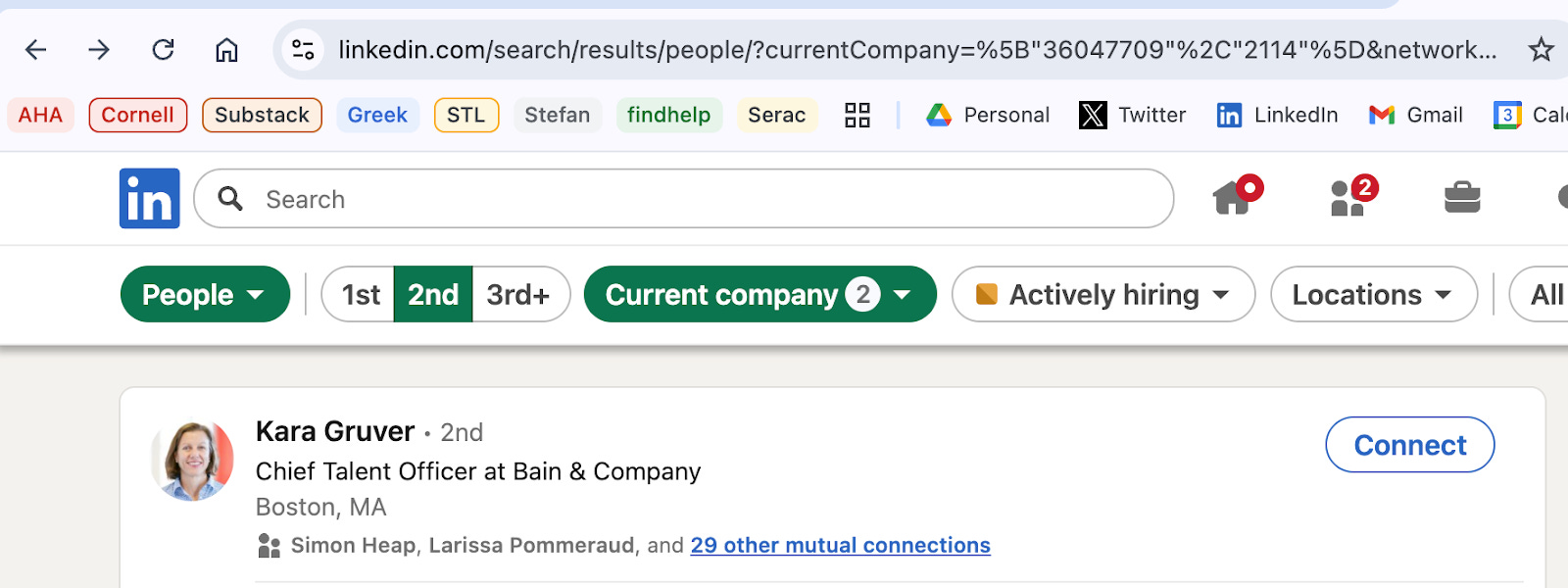
And before you can do any of those steps, you need to know which of your connections to ask for help. For every 2nd degree connection you have on LinkedIn, you will see a list of “mutual connections”. These are people both you and your target are connected to on LinkedIn. For most profiles on LinkedIn, there is a link to “mutual connections” on both the search results page and the profile page.
Search Results Page:
Profile Page:
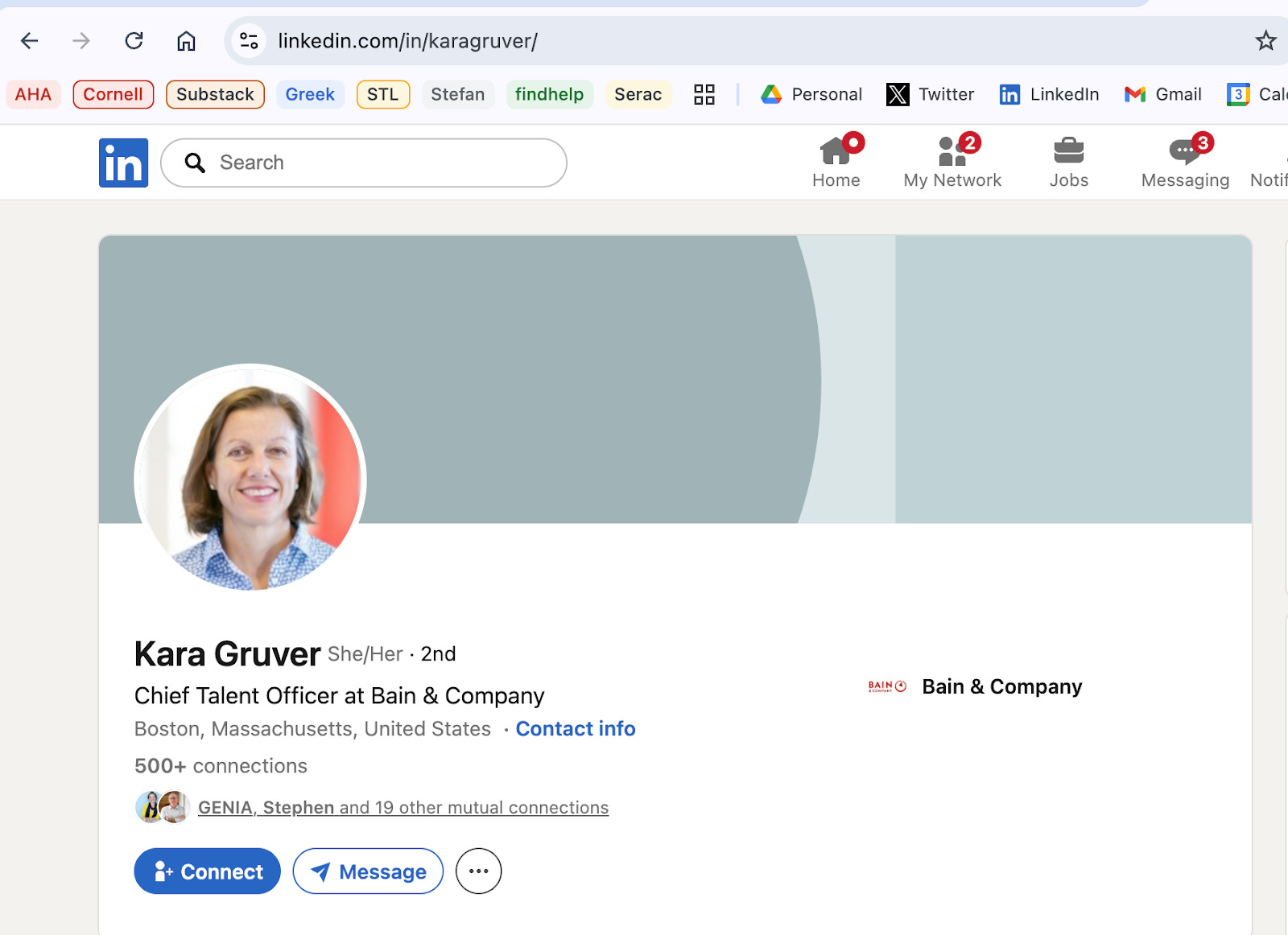
When you click on the “mutual connections” link, you will be taken to a list of your 1st degree connections who are also connected to your target.
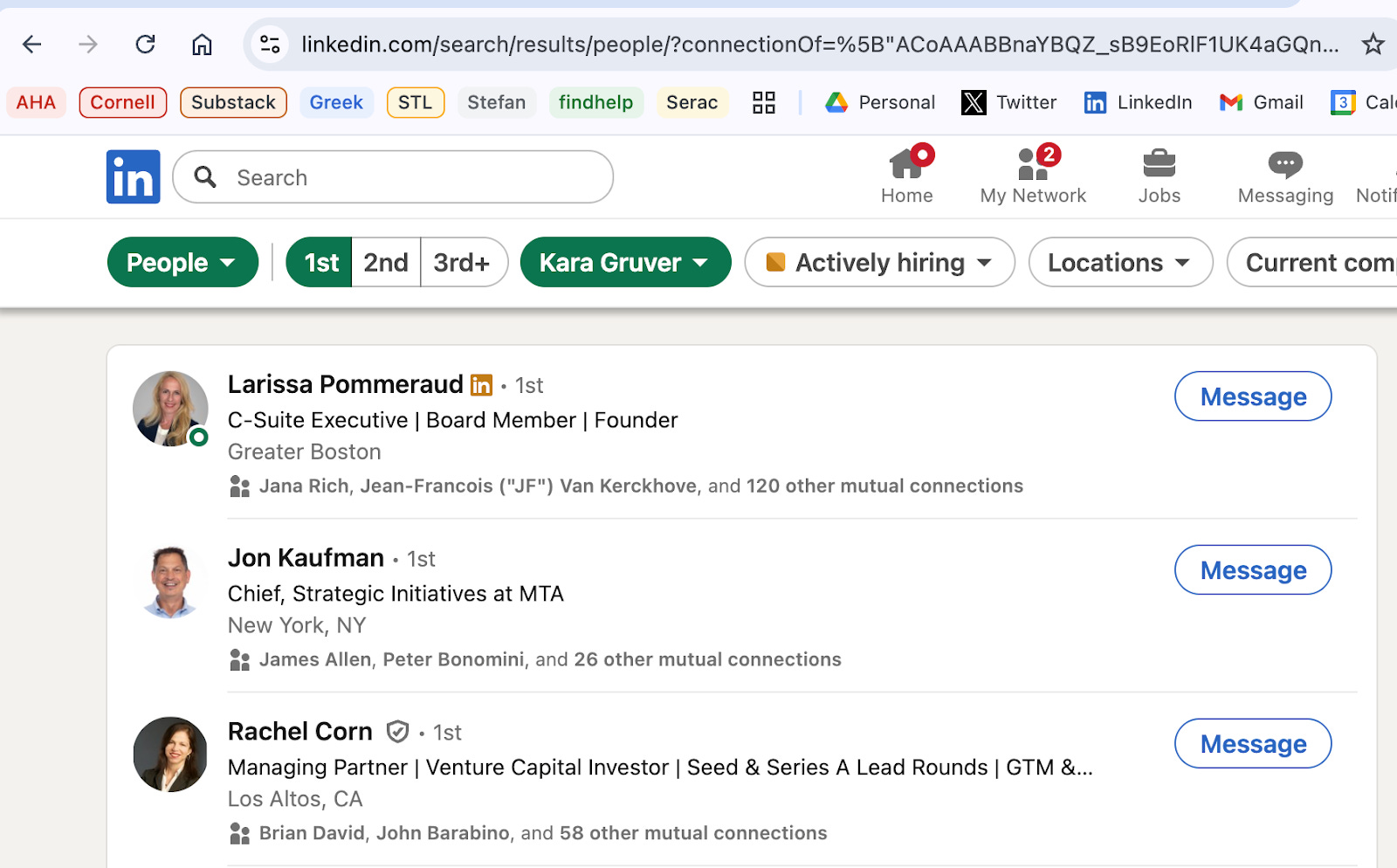
Once you have this list of mutual connections, you can decide which of them you want to contact in order to get a warm introduction to your target.
When you reach out to the mutual connection, you should bear in mind that they a) might not really know your target person despite being connected to them on LinkedIn and b) might not be willing to ask the target if they can introduce you to them. So it’s always good to check and ask politely. Here’s an example of how to do that:
I see that you are connected to [target person] on LinkedIn (provide link to target person’s profile on LinkedIn). I am interested in learning more about [target company], and would appreciate getting some advice from [target person]. Do you know them well enough to potentially make an introduction?
If your connection is willing to make an introduction, you can help them get to step 2 by drafting a message they can use to contact your target. For example, if you write an email like the one above, you can augment it with the following:
If not, no worries. But if you are willing to make an introduction, here’s some text you can use when you reach out to [target person]:
I wanted to ask if I could introduce you to [your name] (provide link to your profile on LinkedIn). [your name] is a [provide a short description of who you are, e.g. a college student, a former colleague, a trusted friend, etc.] and is very interested in learning more about [target company]. I thought you could offer them some very wise and valuable advice.
So let me know if I can introduce you to [your name], or not. I know you’re busy.
I look forward to hearing from you.
As this has gotten a little abstract, let me create a concrete example of an email I would write to one of my mutual connections (Rachel Corn) if I wanted an introduction to Kara Gruver (who I hope can forgive me for using her name here).
Hi Rachel,
I hope you’re well.
I see that you are connected to Kara Gruver on LinkedIn (https://www.linkedin.com/in/karagruver/). I am interested in learning more about Bain & Company and would appreciate getting some advice from Kara. Do you know her well enough to potentially make an introduction?
If not, no worries. But if you are willing to make an introduction, here’s some text you can use when you reach out to Kara:
I wanted to ask if I could introduce you to Chris Tsakalakis (https://www.linkedin.com/in/christsakalakis/). Chris is a junior at the Wharton School of the University of Pennsylvania. He is a member of the consulting club, has a concentration in entrepreneurial management and has a 4.0 GPA.
Chris is very interested in building a career in management consulting and has been drawn to Bain because of the company’s focus on results. He’s also very impressed by your long career at Bain as a partner, chief transformation officer and head of talent. I thought you could offer him some very wise and valuable advice on consulting in general and Bain in particular.
So let me know if I can introduce you to Chris, or not. I know you’re busy.
I look forward to hearing from you.
You should note that in the examples above, the job seeker (me) is asking the target for advice, not a job or some other specific favor. There’s a saying in the nonprofit fundraising world: “If you want advice, ask for money. If you want money, ask for advice.” This means that if you directly ask for something you want (a job or money), you may not get it. But if you ask for advice, you might. That’s because asking a target for advice is flattering and makes the target feel like they are on your side. After all, most people ask for advice from people they respect. So asking someone for advice implicitly says you respect them. It also means you would value their help in solving your problem.
Assuming you get a positive response to the outreach you make to your mutual connection, step 3 is getting the actual introduction. This may require that you follow up with your mutual connection (Rachel Corn in this example) to see if they a) sent the email to your target (Kara) or b) if your target has replied. Your mutual connection might have to contact your target more than once to get a reply so be patient.
Of course, there are many other ways to contact your target person.
One way is cold contacting them via LinkedIn. You can send them a message, which may require a subscription on LinkedIn, or you can send them an invitation to connect and include a note when doing so. You should be able to see both a “Connect” and a “Message” button on the LinkedIn profile page of a 2nd degree connection.
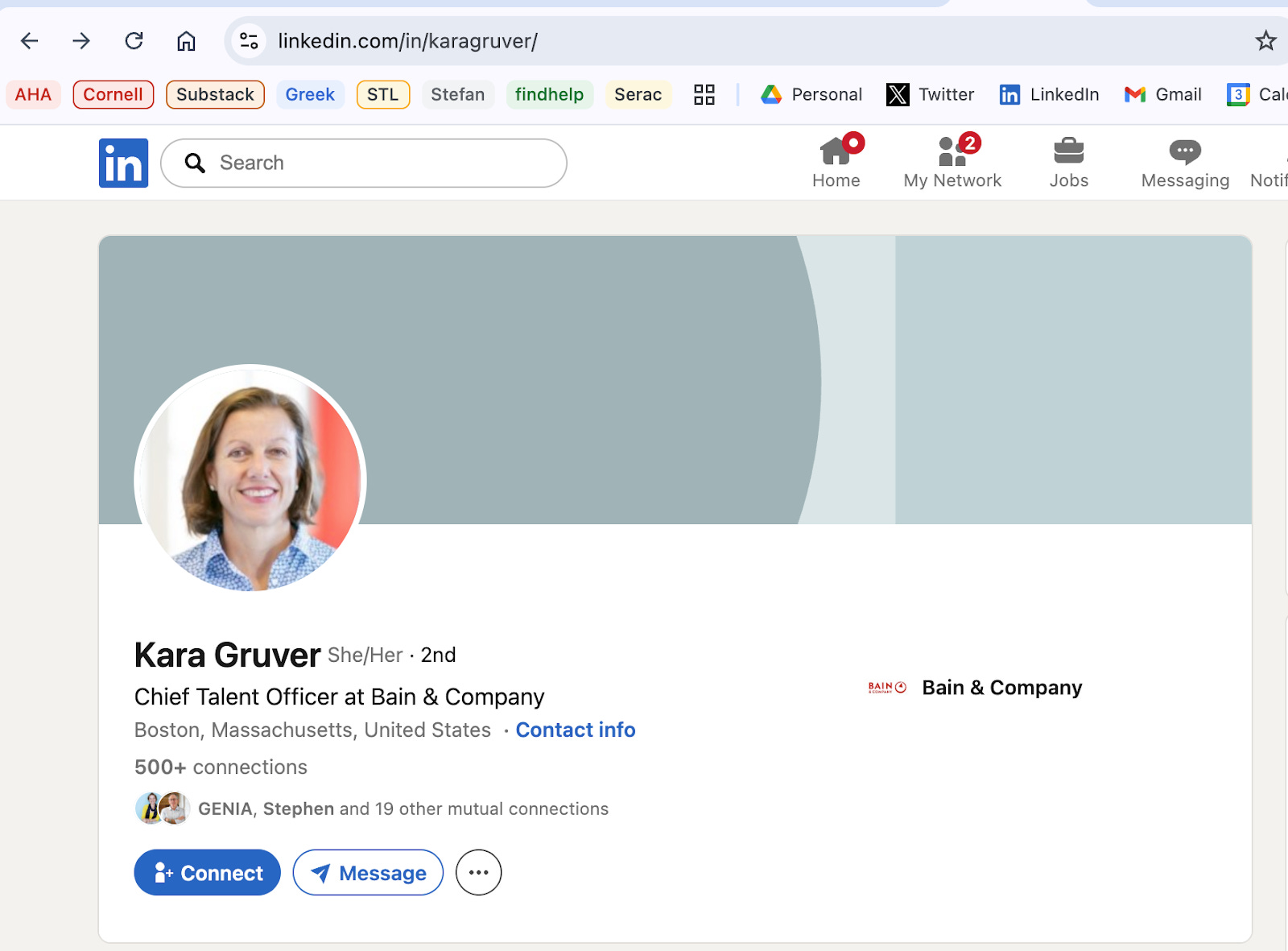
If you decide to connect with someone you don’t know on LinkedIn, I strongly suggest you “add a note” to your contact request. I’ll cover what to put in that note below.
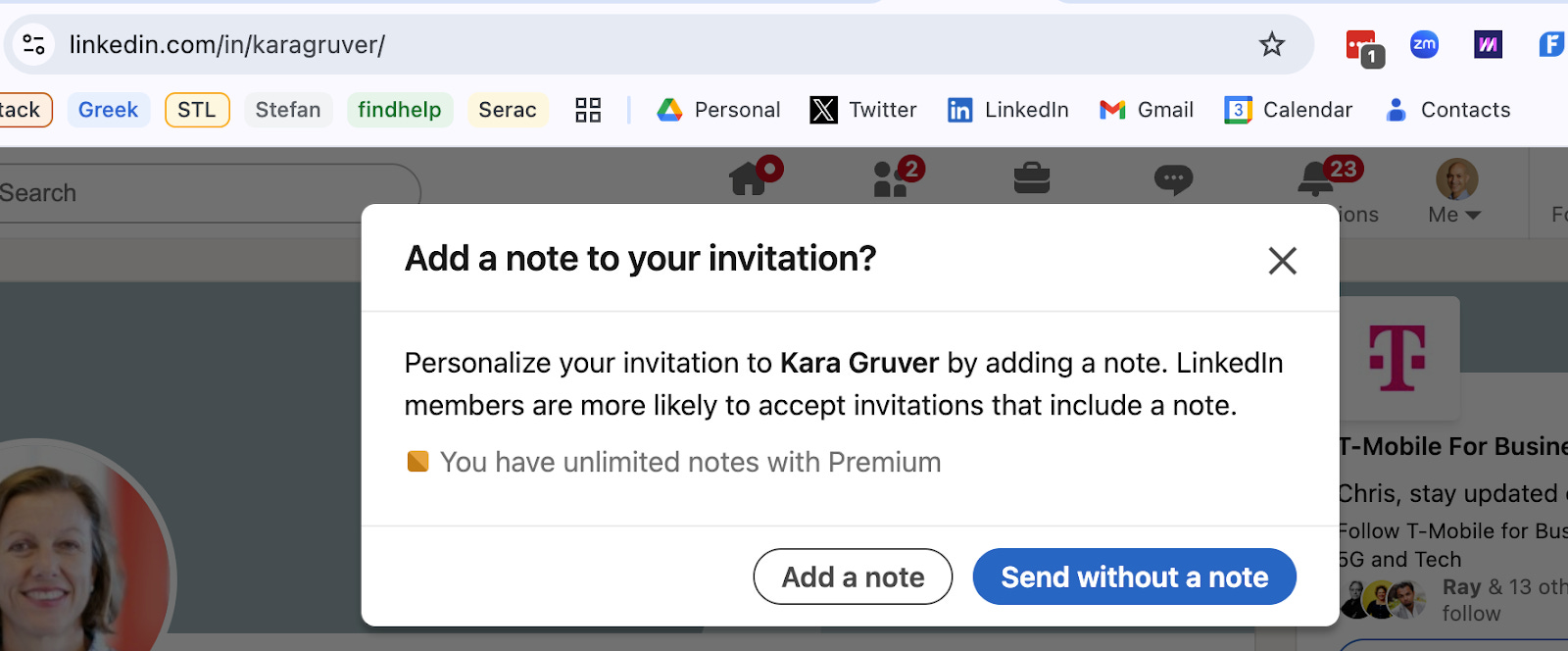
LinkedIn messaging and connection requests can work well but not for everyone. Not everyone is attentive to their messages or requests on LinkedIn so don’t be surprised if you don’t get a response.
The other way to contact a target is via email. It’s relatively easy to find someone’s email address online. In many cases, companies use a standard email format (e.g. first initial of first name plus last name at company.com) which allows you to guess someone’s email address (ctsakalakis@company.com).
Whether or not you send a LinkedIn message or email, you are sending a “cold” contact so you will need to make some effort in crafting a message that is concise but also persuasive. I’m not an expert in this, but I would recommend that your message asks for advice and shows some knowledge of the person and their role. If I were a college student sending a cold email to my example target person (Kara Gruver), below is something I might write to her:
Kara,
I am a junior at the Wharton School of the University of Pennsylvania. I am a member of the consulting club, have a concentration in entrepreneurial management and have a 4.0 GPA. You can see my LinkedIn profile at https://www.linkedin.com/in/christsakalakis/
I am very interested in building a career in management consulting and have been drawn to Bain because of the company’s focus on results. I’m also very impressed by your long career at Bain as a partner, chief transformation officer and head of talent.
I would greatly appreciate getting some advice from you on how to prepare myself for a career in consulting. Would you be willing to spare 15 minutes of your time to help me?
Please let me know.
Thank you for your time.
Please be aware that a note on LinkedIn is limited to a few hundred characters so you will have to write a shortened version of this. Just be direct and specific. Vague messages are met with no responses.
If you are able to get a warm introduction to your target or a response to a cold contact, follow up as quickly as possible. I have seen situations where I made a warm introduction as a favor to someone looking for a job and that job seeker then failed to reply to the introduction. That creates a very bad impression of the job seeker. If you are looking for a job or just want to connect with someone, show that you are motivated and interested by replying to the target as quickly as possible. Do not wait for the target to make the first move. They are waiting for you to make the first move. A job seeker who replies quickly and courteously is motivated and organized and a job seeker who does not reply is neither of those things. Make a good first impression: follow up quickly.
When you follow up, you can briefly write (or reiterate) what you want to discuss with the target and then ask if you could have a brief call with the target. You can then ask what times might work for them or if you should work with the target’s assistant or online calendar tool (e.g. Calendly). Below is an example email assuming my target (Kara Gruver) was open to speaking with me.
Kara,
Thank you for being open to speaking with me. As I wrote in my first email, I am a junior at the Wharton School of the University of Pennsylvania and am very interested in building a career in management consulting and have been drawn to Bain because of the company’s focus on results.
You can find my LinkedIn profile at https://www.linkedin.com/in/christsakalakis/
Please let me know if you can make some time to speak with me, and, if so, when you might have some availability. I am also happy to work with your assistant or online calendar tool if you use either of those.
I look forward to speaking with you. Thanks again.
It may take some time and a few emails to schedule a call with your target so be patient and persistent. As you go through the scheduling process, try to make it as easy as you can on whoever is doing the scheduling by following up quickly and being flexible about your availability.